
Every landlord needs a reliable banking partner that can help them achieve their goals in real estate. That’s why we’ve decided to provide Innago users a more convenient way to manage banking.
Here’s everything you need to know about the integration and how to set up your free landlord bank account* from your dashboard.
Why You Need a Separate Bank Account for Your Rental Properties
If you’ve been in the real estate world for a while, you may be familiar with the golden rule of real estate finance: Keep your rental funds separate from your personal ones.
It’s a fundamental rule for a reason. Keeping a separate bank account protects you from legal liability, keeps your funds organized for tax season, and helps you operate more professionally in a competitive industry.
For this reason, most landlords need to create a new bank account at some point for their LLC or property management company. However, it’s not always convenient to do so, especially for smaller landlords or those just starting out.
That’s why Innago landlords now have access to convenient rental banking options in a familiar place, your Innago account.
About Your New Innago Bank Account
You can now open an Innago checking or savings account inside the platform by following a few simple steps.
Your new Innago bank account comes with a generous Annual Percentage Yield (APY)** (up to 2.67%) and no monthly fees***. You can still link your other bank accounts and additionally transfer funds back and forth between your new Innago account and a separate Chase, Wells Fargo, etc. account.
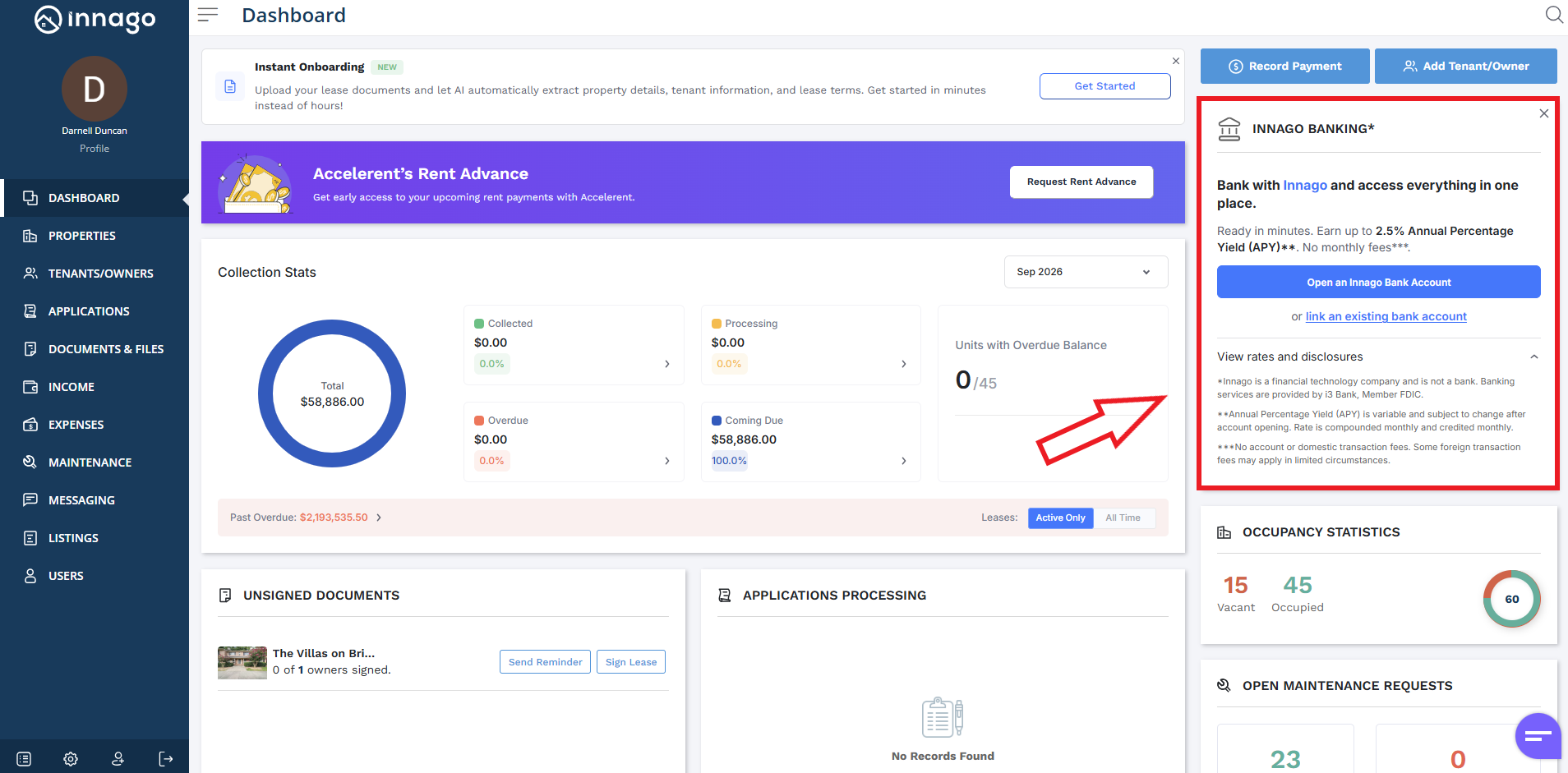
Getting started is as simple as requesting an account through the Innago Banking section on the right-hand side of your dashboard.
How to Open an Innago Bank Account
We’ve made it as simple as possible to manage banking right where you manage the rest of your portfolio. Here’s how:
Start on the Dashboard.
Navigate to the Innago Banking section on the right-hand side.
Click ‘Open an Innago Bank Account’ to request a bank account.
You can also complete this step from Settings. Simply select “Bank” from the Settings menu, then click the blue bar that reads “Add Bank Account”.
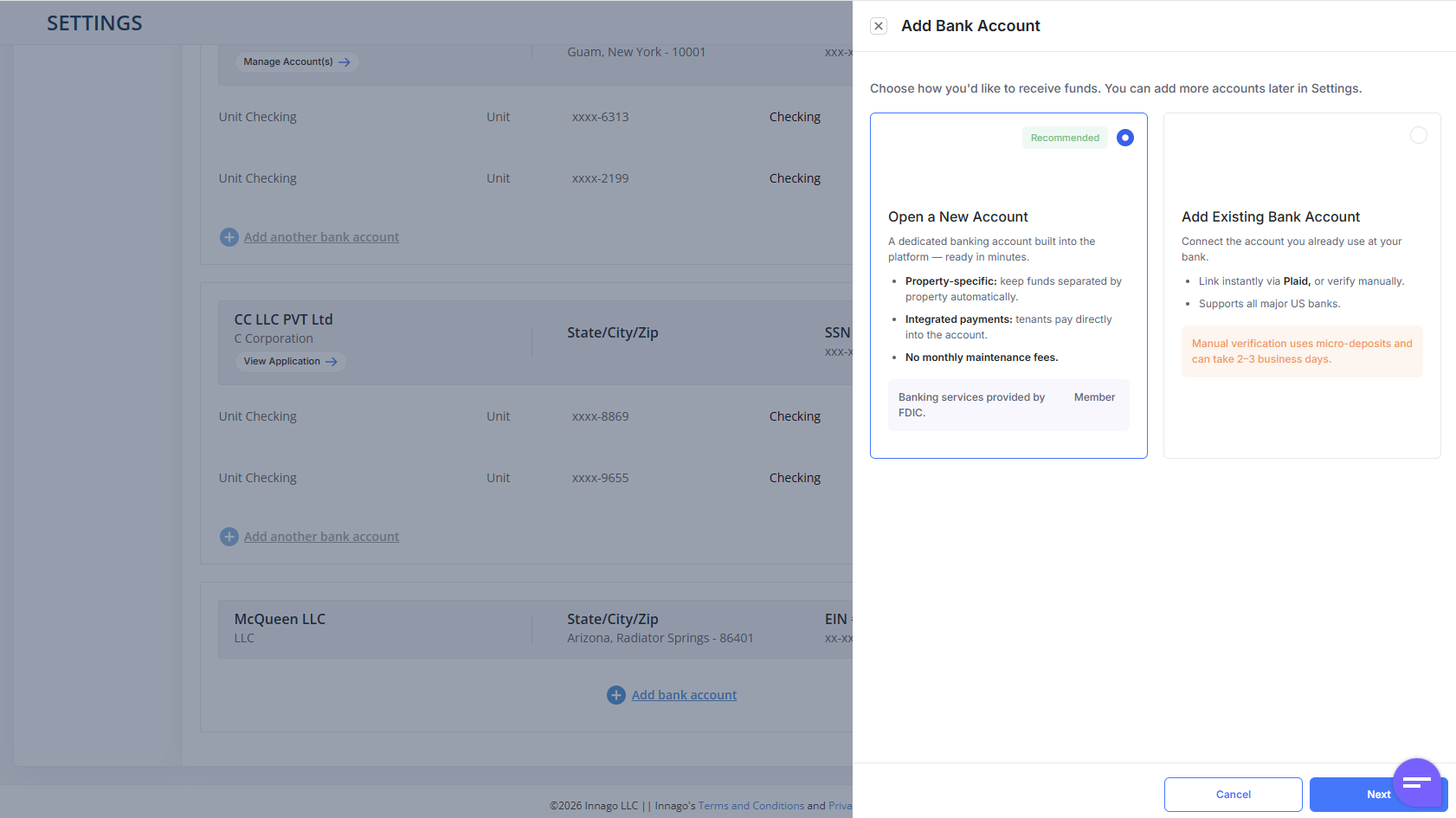
Choose ‘Open a New Account’, then click ‘Next’.
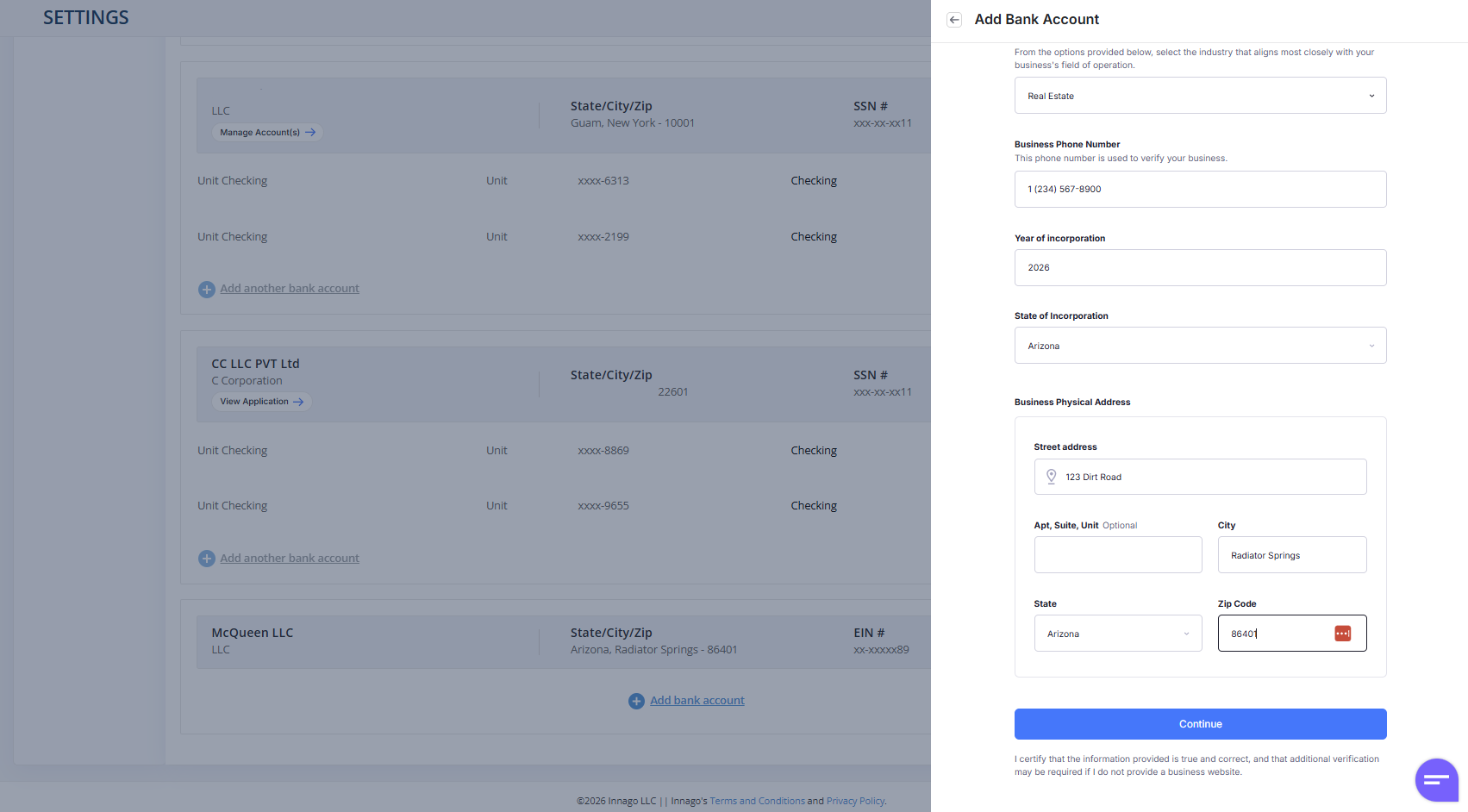
Click “Start” to begin entering your business details, including your legal business name, year of incorporation, address, and information for the account’s control person, primary user, and beneficiary owner. Click “Continue” once you’re ready to proceed.
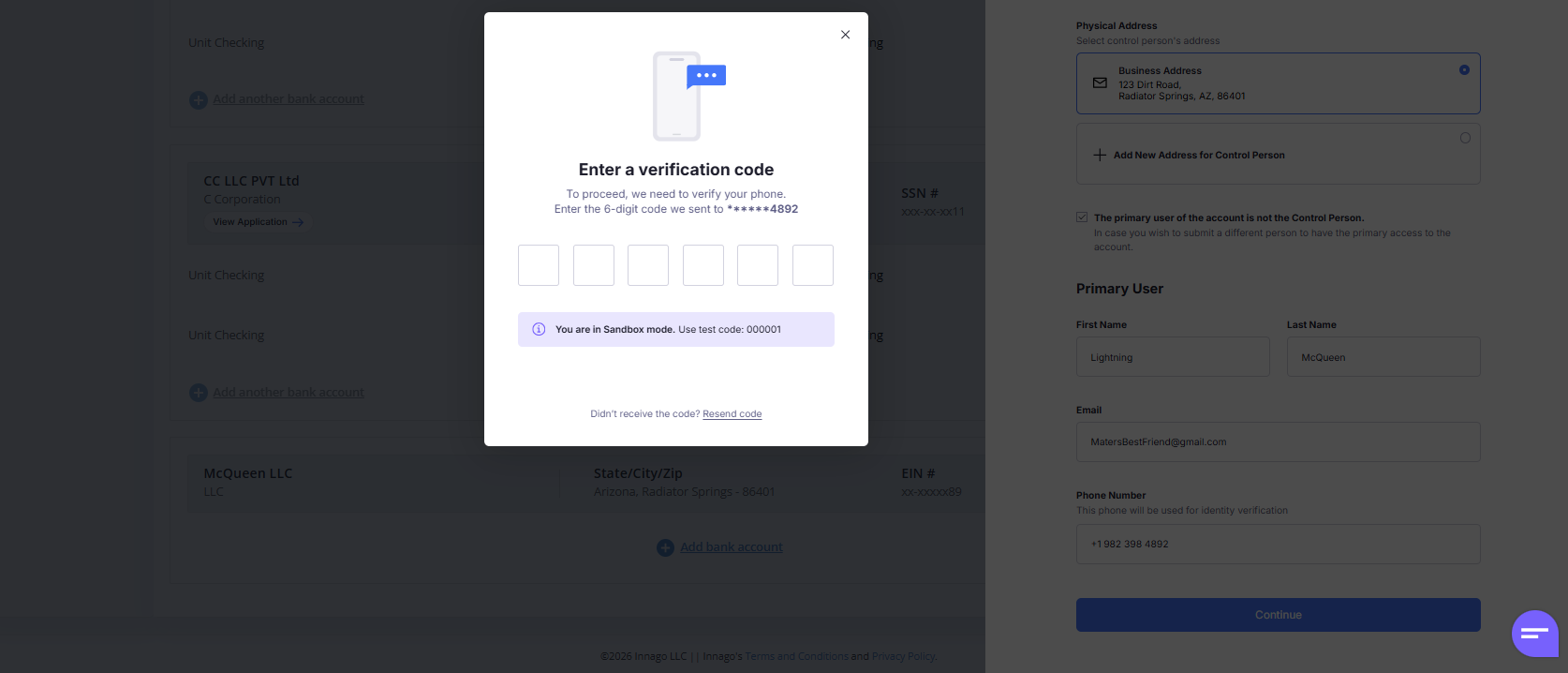
You’ll now be prompted to complete a verification step. An OTP (one-time code) will be texted to the mobile number you entered on the form. Enter the 6-digit code to continue.
At this point, your application will be pending while your application is evaluated. No further action is needed from you at this point. You may check the status of your application by clicking the “View Application Status” button next to your entity on your Settings > Bank Account page. (Note: Some applications will require additional documents. If so, you’ll need to upload them to proceed with your application.
Once approved, you’ll see a “Manage Accounts” button appear. You’ll need to enter an Account Name, Purpose (e.g., checking), and accept the terms.
Follow instructions to fund your new account.
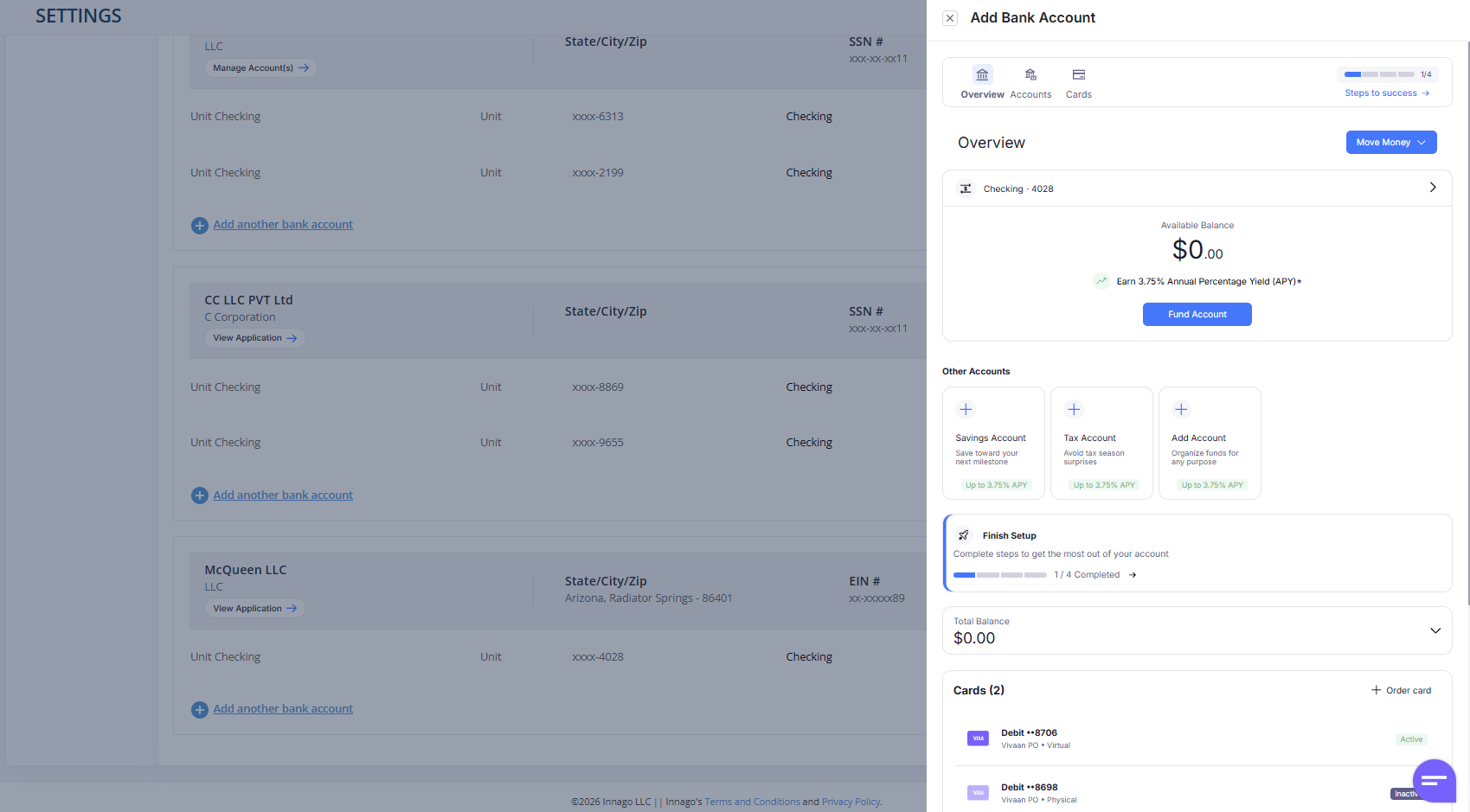
Your newly created account appears in two places:
In the account dashboard, under the Accounts tab. You should see the account’s name, balance, and account/routing details
Underneath the entity on your Settings > Bank Account page, alongside any other existing bank accounts.
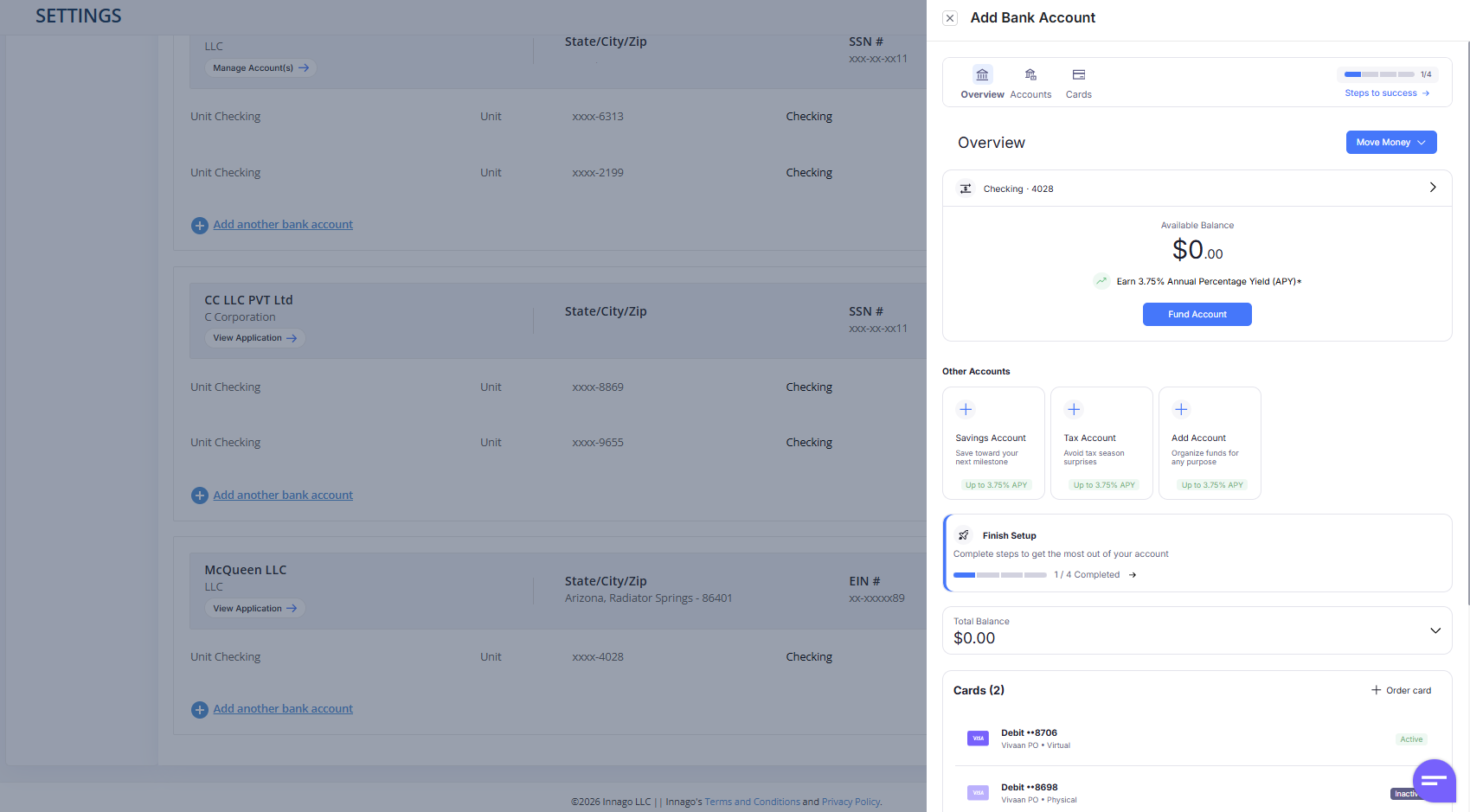
Note: Rates in images are illustrative only.
For more instructions on setting up your bank account, please visit our help center. If you have questions, you can access the in-app Banking Support widget chat Mon-Fri, 9am-5pm EST, email support.innago@bankingsupport.co, or reach out to our general support line at support@innago.com.
Real Estate Banking, Easier Than Ever
Our job at Innago is to make our users’ lives easier—and this involves centralizing operations as much as possible. Our new banking integration aims to do exactly that. Now, you’ll be able to create and manage bank accounts with great interest rates straight from your Innago account, allowing you greater access and convenience to all your financial tools in one place.
Important disclosures
* Innago is a financial technology company and is not a bank. Banking services are provided by i3 Bank, Member FDIC. The Innago Visa Debit Card is issued by i3 Bank pursuant to a license from Visa U.S.A. Inc. and may be used anywhere Visa cards are accepted.
** Annual Percentage Yield (APY) is variable and subject to change after account opening. Rate is compounded monthly and credited monthly.
*** No account or domestic transaction fees. Some foreign transaction fees may apply in limited circumstances.


