

Renting your property to a stranger is risky. Even with the best tenant screening methods, you could end up with a renter who damages or even destroys something you worked so hard to buy, as could their pet or guests. That's why a security deposit is a move-in priority. But landlords often forget, it's a move-out priority as well. Remember, all 50 U.S. states have laws dictating how quickly and in what manner you must return any collected security deposit back to your tenants. If complications delay this process, you could lose the right to use the security deposit all together.
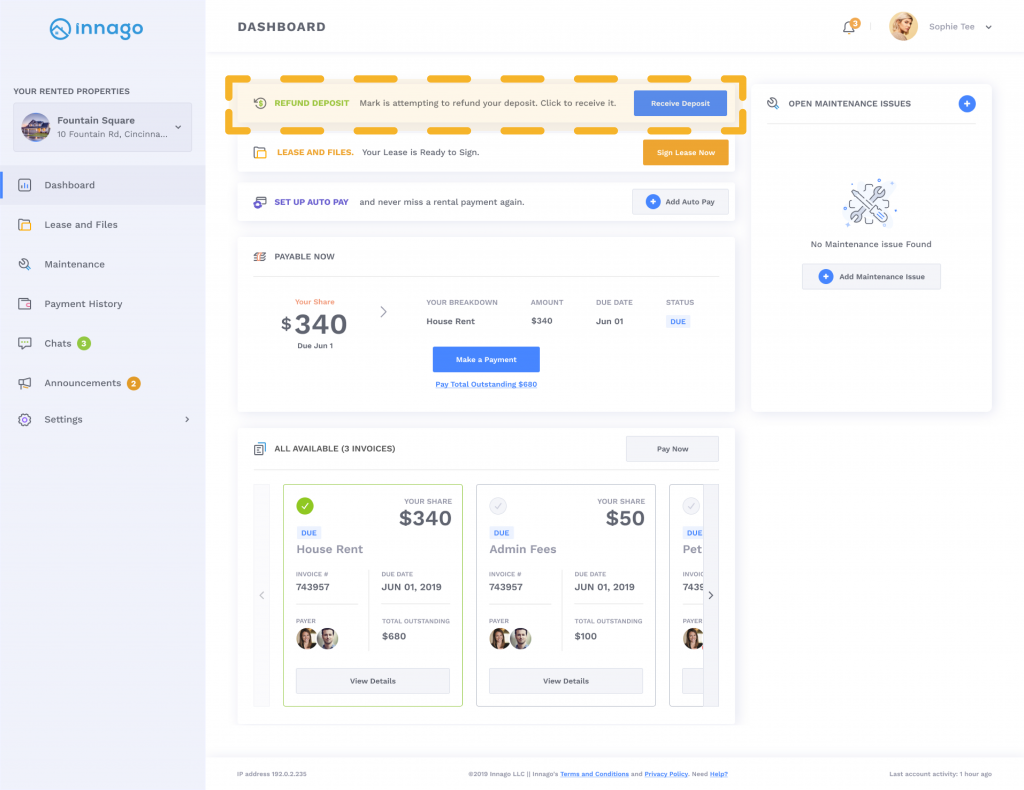
We at Innago want to make handling security deposits more organized and efficient. We’ve previously allowed our users to mark deposit invoices as paid from their Innago accounts. Now, you can return tenants’ security deposits online through Innago by depositing the amount directly into your tenants’ bank accounts. Or, if your tenant hasn't linked their bank account to Innago, we'll send a physical check through the mail on your behalf equal to the amount you choose to return. You can decide to return the full amount, make deductions, or even return more than the amount collected if your state requires you to pay interest on the deposit.
Make security deposit returns foolproof. Innago also has a backup address feature that allows landlords to enter in their tenant’s new residence. If a tenant does not choose their preferred bank account before 30 days is up, Innago will mail a physical check to the backup address.
Returning your tenant’s security deposit no longer has to be stressful. These features will make this process easier for both you and your renters.
How To Return Security Deposits Online Through Innago
When a lease has expired, it’s time to either return the Security Deposit to the tenants moving out, or apply the Security Deposit to any outstanding invoices. Security Deposits can be either returned electronically, or marked as returned offline for accounting purposes.
In order to Return a Security Deposit Online:
1. Locate the Security Deposit invoice on either on the Income Page or the Deposits Held report.
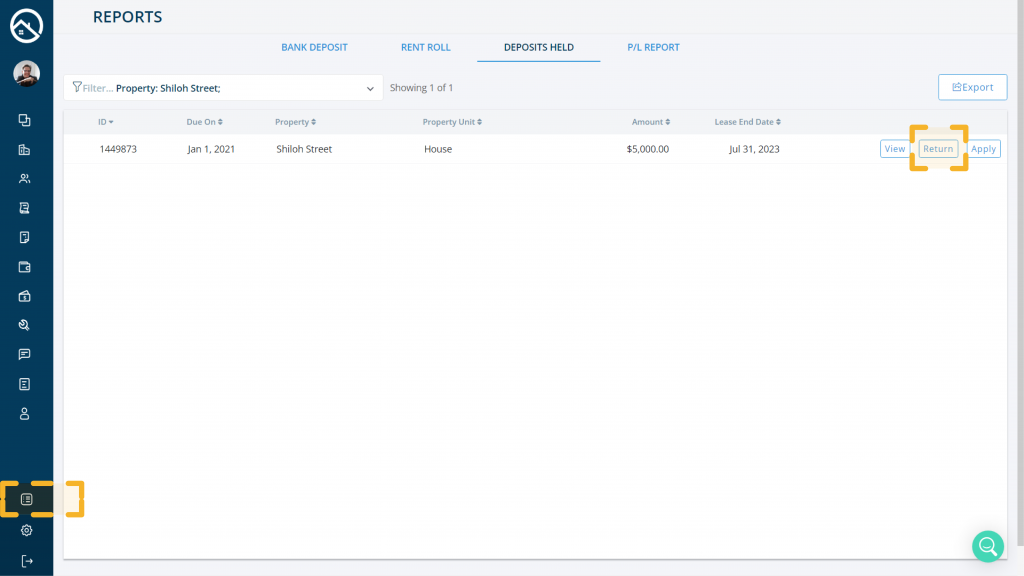
2. Click "Refund Deposit - Return It" on the Invoice from the Income page or "Return" on the Deposits Held report.
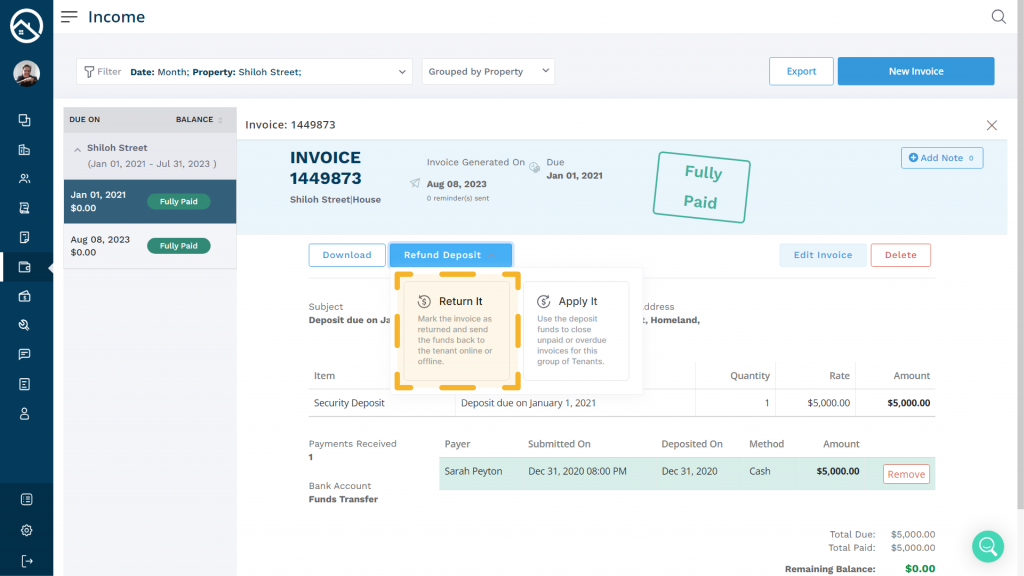
3. Choose "Return Online".
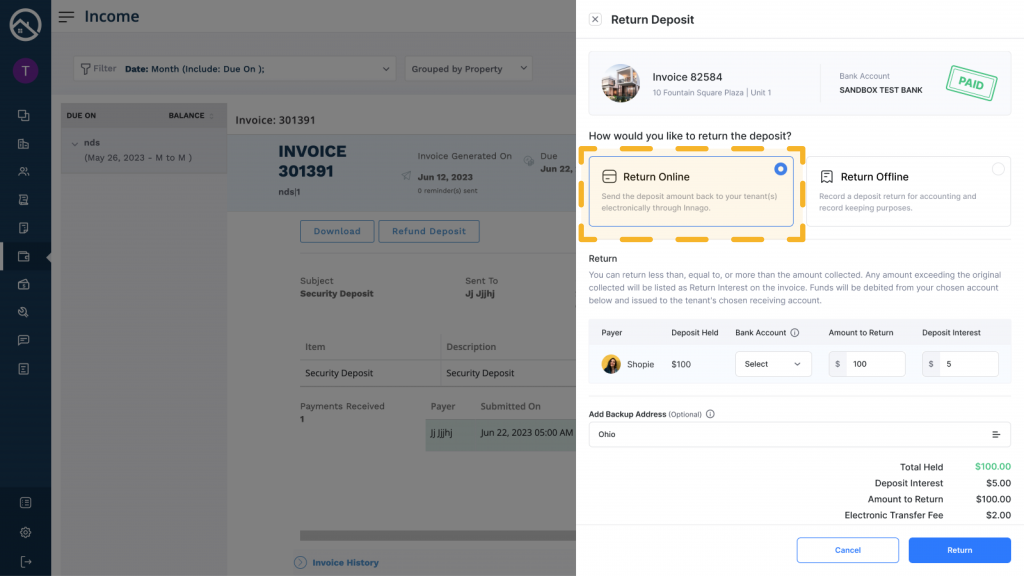
When choosing Return Online, you'll select the tenant, the bank account you'd like funds to be debited from, and then the amount to return. You can return less than, equal to, or more than the amount collected. Any excess amount will be recorded as Deposit Interest on the invoice.
Funds will be issued to the tenant's chosen receiving account. Tenant's will also have the option to receive a mailed check for their Security Deposit return.
Add Backup Address - You have the option to enter in a backup address for the tenant in case they don't make a selection of which bank account they'd like to receive their funds. After 5 business days if the tenant has not made a selection, we will mail a check to the address you've provided.
If the tenant has not selected a bank or a mailing address after 5 business days, and you have not entered in a backup address, the funds will be returned to you.
Please note: The Return Online selection is only available on the web version of Innago. This selection is not available via the mobile app at this time.
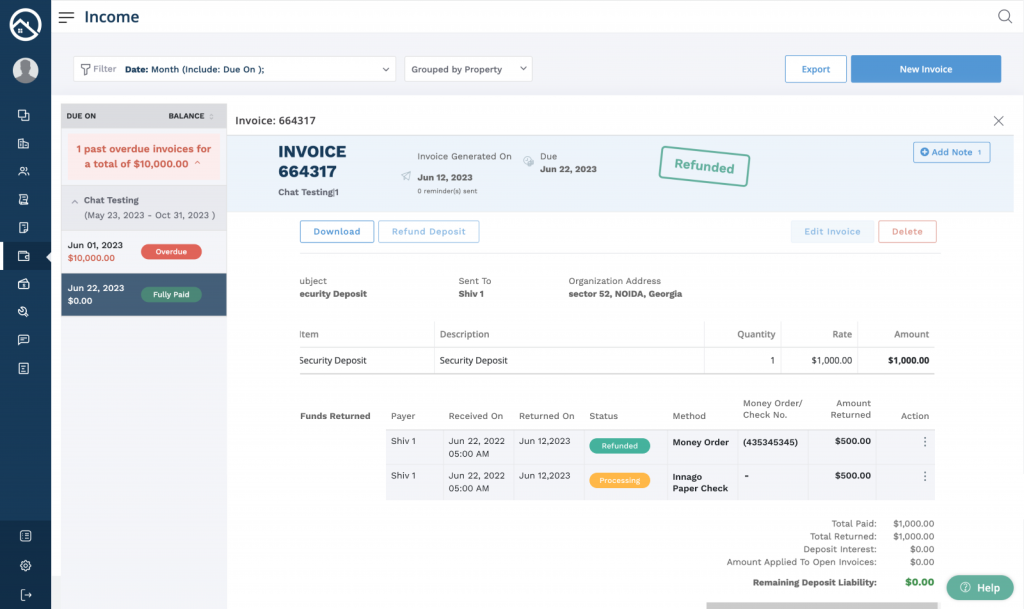
After choosing your return method and entering in the necessary data, clicking "Return" will update the Security Deposit to show as "Refunded". You'll be able to see details of the return on the invoice as shown below:
Conclusion
Security deposits are a key component of any lease agreement. Although they belong firstly to your tenants, it’s your responsibility to hold and return them safety until you have a valid reason to make deductions. We hope this feature makes managing and safekeeping these vital funds a little easier.


